# Download Pinterest boards with up to 100,000 pins
> Download huge Pinterest boards, up to 100,000 pins, with Unpinned. The steps, why a big board arrives as several ZIP files, and how to keep a long run going.
Source: https://unpinned.uninspired.app/blog/download-large-pinterest-boards
Author: Uninspired Studio
Published: 2026-10-21
---
Unpinned downloads Pinterest boards with up to 100,000 pins. Open the board in Chrome, Firefox or Edge, click Unpinned in the bottom-right corner of the page, then Download. A very large board arrives as several ZIP files. Unzip each one: together they are the whole board. The free plan covers 50 pins a day, so a board in the thousands is a job for Pro.
## What changed
For V2 we rebuilt the download engine and kept optimizing it until a board with 100,000 pins came down in one run. That is the new ceiling. The same work lets you run several boards at the same time. Nothing about the flow changed. A board with 80 pins and a board with 80,000 start with the same click. [What else is new in V2](/blog/unpinned-v2) has the full list.
If another tool stalled on your board or quit at its own cap, that is what changed here. If your board is a normal size, [downloading an entire Pinterest board](/blog/download-entire-pinterest-board) is the shorter guide.
## How to download a very large board
1. Open the board on Pinterest. You do not need to scroll to the bottom first. Unpinned pages through the board for you.
2. Click Unpinned in the bottom-right corner of the page. The panel opens with the board name at the top, so you can check it is the right one.
3. Leave the format on `.zip`. If you only need the images, click the gear and switch Videos off. Less to download.
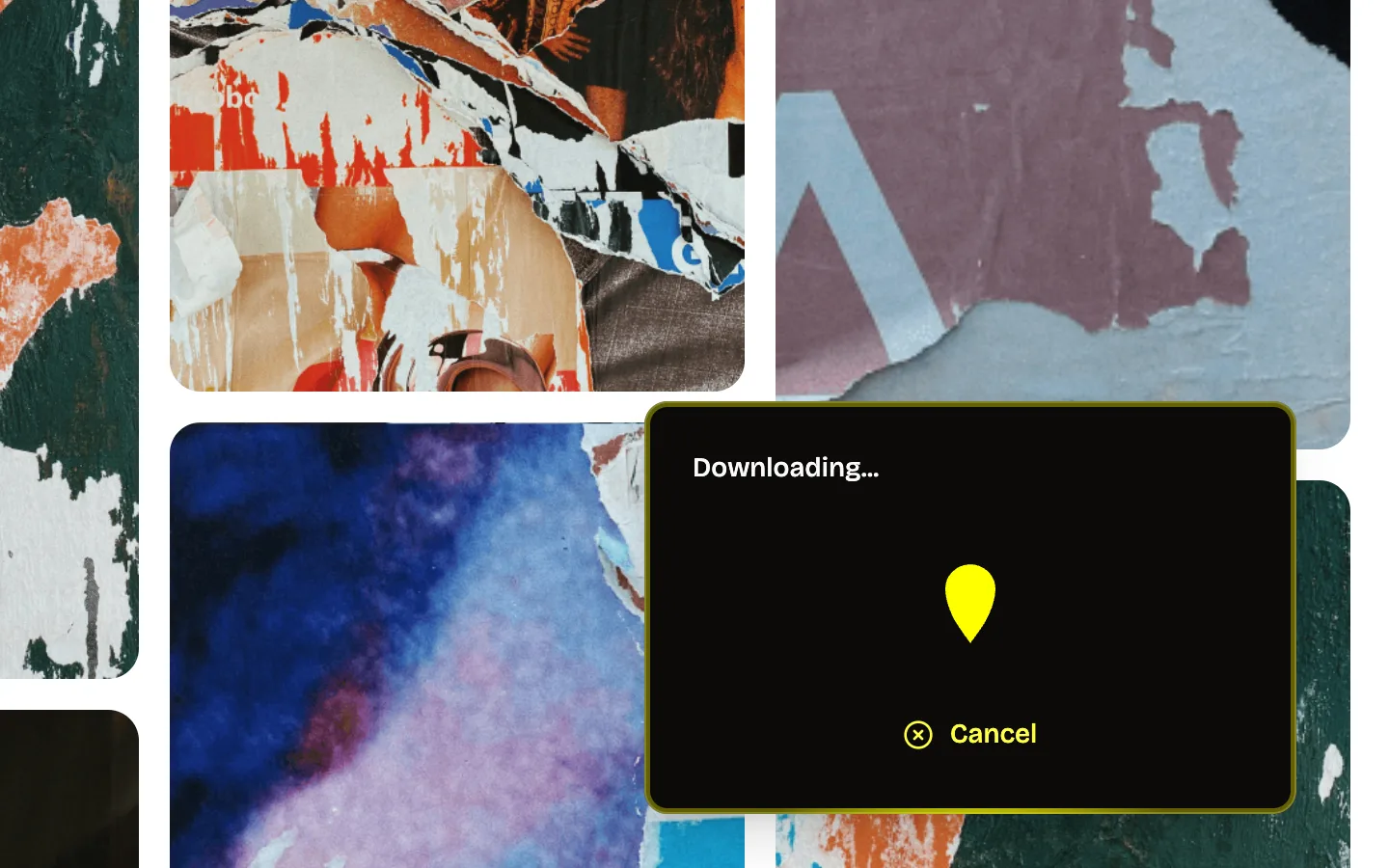
4. Click Download. The panel shows "Downloading..." and a Cancel button.
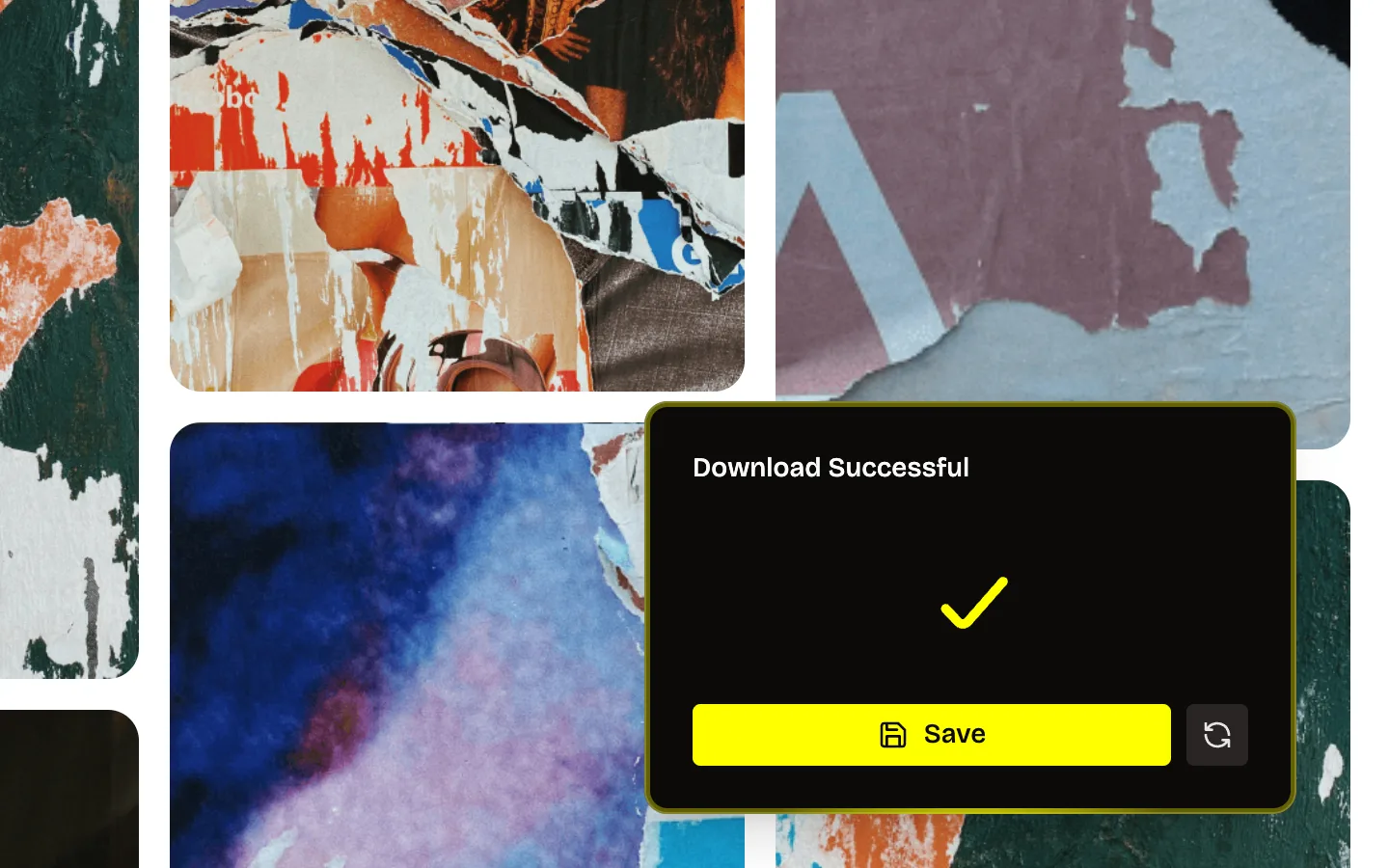
5. Leave the tab open. When the panel says "Download Successful", click Save.
 Do not need all of it? Open a single section and download that instead. Unpinned downloads a section the same way it downloads a board.
Several big boards? Open each board in its own tab and start them one after another. They run at the same time.
Do not need all of it? Open a single section and download that instead. Unpinned downloads a section the same way it downloads a board.
Several big boards? Open each board in its own tab and start them one after another. They run at the same time.
 ## Why a big board arrives as several ZIP files
Since version 1.0.12, Unpinned splits a very large board into several ZIP files instead of one. One archive for a huge board would be one huge file, and very large single files are where saving, copying and unzipping tend to go wrong. Several parts are easier to save, move and open.
What to do with them:
- **Keep every part.** Each one holds different pins from the same board. One part on its own is not the board.
- **Save them in one place.** Put all the parts in the same folder so nothing gets lost in Downloads.
- **Unzip each part.** They are ordinary ZIP files. Double-click on a Mac, or right-click and Extract All on Windows.
- **Treat them as one board.** If the same section folder shows up in more than one part, move the files into a single folder.
Sections still come down as folders. The [sections to folders guide](/blog/pinterest-sections-to-zip-folders) covers what to do with them in Figma or Canva.
## Free plan or Pro for a big board
| | Free | Pro |
| --- | --- | --- |
| Pins per day | 50 | No cap |
| A board in the thousands | 50 pins of it a day | The whole board in one run |
| Formats | `.zip`, `.csv` | `.zip`, `.csv`, `.pdf` |
On the free plan a download takes as many pins as your allowance has left. Then the panel says "You've hit your free limit for today. Upgrade to keep downloading." with a Go Pro button. That is fine for a mid-size board you are happy to split by section over a few days, and [how to download Pinterest boards for free](/blog/how-to-download-pinterest-boards-for-free) shows how. For a board of thousands or tens of thousands of pins, Pro is the realistic route. The [Pinterest board downloader](/pinterest-board-downloader) page has what Pro includes.
## Tips for a long download
A large board takes a while. How long depends on the size of the board, how much of it is video, and your connection. Any figure we quoted would be a guess. These help it finish:
- **Keep the board tab open** until the panel says "Download Successful". Do not close or reload it in the meantime.
- **Use a stable connection.** A cable or strong Wi-Fi, and no switching networks halfway.
- **Keep the computer awake.** Plug in the laptop and stop it from sleeping. A sleeping computer drops its connection.
- **Free up disk space first.** Full-size images and videos add up, and unzipping needs room for the ZIP parts and the unpacked files at the same time.
- **Skip video if you do not need it.** Gear, then Videos off.
- **Leave the browser alone.** Do not restart it mid-run, for an update or anything else.
If the big board is an archive you want to keep, [backing up Pinterest boards](/blog/backup-pinterest-boards) covers how often to re-run it and where to keep the files.
## FAQ
### How many pins can Unpinned download from one board?
Up to 100,000 pins.
### How long does a 100,000-pin board take?
We do not give a figure. It depends on the board, how many videos it has, and how fast your connection is. Start it and leave the tab open.
### Why did I get several ZIP files?
The board is large, so Unpinned split it into parts. Unzip each one. Together they are the full board.
### Can I download a huge board on the free plan?
You get 50 pins of it a day. For the whole board in one go you need Pro.
### Can I download several large boards at the same time?
Yes, since V2. Open each board in its own tab and start each download.
### What if the download stops halfway?
Reload the board tab and start it again. If it keeps stopping, write to hello@uninspired.studio with the board size and your browser. We are two people and we answer.
### My board has more than 100,000 pins. What now?
Download it section by section. Each section downloads on its own, the same way as a board.
### Where is the Unpinned button?
In the bottom-right corner of the board page. [The Unpinned corner icon](/blog/unpinned-corner-icon) walks through every part of the panel.
## Why a big board arrives as several ZIP files
Since version 1.0.12, Unpinned splits a very large board into several ZIP files instead of one. One archive for a huge board would be one huge file, and very large single files are where saving, copying and unzipping tend to go wrong. Several parts are easier to save, move and open.
What to do with them:
- **Keep every part.** Each one holds different pins from the same board. One part on its own is not the board.
- **Save them in one place.** Put all the parts in the same folder so nothing gets lost in Downloads.
- **Unzip each part.** They are ordinary ZIP files. Double-click on a Mac, or right-click and Extract All on Windows.
- **Treat them as one board.** If the same section folder shows up in more than one part, move the files into a single folder.
Sections still come down as folders. The [sections to folders guide](/blog/pinterest-sections-to-zip-folders) covers what to do with them in Figma or Canva.
## Free plan or Pro for a big board
| | Free | Pro |
| --- | --- | --- |
| Pins per day | 50 | No cap |
| A board in the thousands | 50 pins of it a day | The whole board in one run |
| Formats | `.zip`, `.csv` | `.zip`, `.csv`, `.pdf` |
On the free plan a download takes as many pins as your allowance has left. Then the panel says "You've hit your free limit for today. Upgrade to keep downloading." with a Go Pro button. That is fine for a mid-size board you are happy to split by section over a few days, and [how to download Pinterest boards for free](/blog/how-to-download-pinterest-boards-for-free) shows how. For a board of thousands or tens of thousands of pins, Pro is the realistic route. The [Pinterest board downloader](/pinterest-board-downloader) page has what Pro includes.
## Tips for a long download
A large board takes a while. How long depends on the size of the board, how much of it is video, and your connection. Any figure we quoted would be a guess. These help it finish:
- **Keep the board tab open** until the panel says "Download Successful". Do not close or reload it in the meantime.
- **Use a stable connection.** A cable or strong Wi-Fi, and no switching networks halfway.
- **Keep the computer awake.** Plug in the laptop and stop it from sleeping. A sleeping computer drops its connection.
- **Free up disk space first.** Full-size images and videos add up, and unzipping needs room for the ZIP parts and the unpacked files at the same time.
- **Skip video if you do not need it.** Gear, then Videos off.
- **Leave the browser alone.** Do not restart it mid-run, for an update or anything else.
If the big board is an archive you want to keep, [backing up Pinterest boards](/blog/backup-pinterest-boards) covers how often to re-run it and where to keep the files.
## FAQ
### How many pins can Unpinned download from one board?
Up to 100,000 pins.
### How long does a 100,000-pin board take?
We do not give a figure. It depends on the board, how many videos it has, and how fast your connection is. Start it and leave the tab open.
### Why did I get several ZIP files?
The board is large, so Unpinned split it into parts. Unzip each one. Together they are the full board.
### Can I download a huge board on the free plan?
You get 50 pins of it a day. For the whole board in one go you need Pro.
### Can I download several large boards at the same time?
Yes, since V2. Open each board in its own tab and start each download.
### What if the download stops halfway?
Reload the board tab and start it again. If it keeps stopping, write to hello@uninspired.studio with the board size and your browser. We are two people and we answer.
### My board has more than 100,000 pins. What now?
Download it section by section. Each section downloads on its own, the same way as a board.
### Where is the Unpinned button?
In the bottom-right corner of the board page. [The Unpinned corner icon](/blog/unpinned-corner-icon) walks through every part of the panel.