The Unpinned corner icon: the panel on your Pinterest board
Unpinned now sits in the bottom-right corner of a Pinterest board. What each part of the panel does, why it left the toolbar, and what to do if it is missing.
Product · Workflow
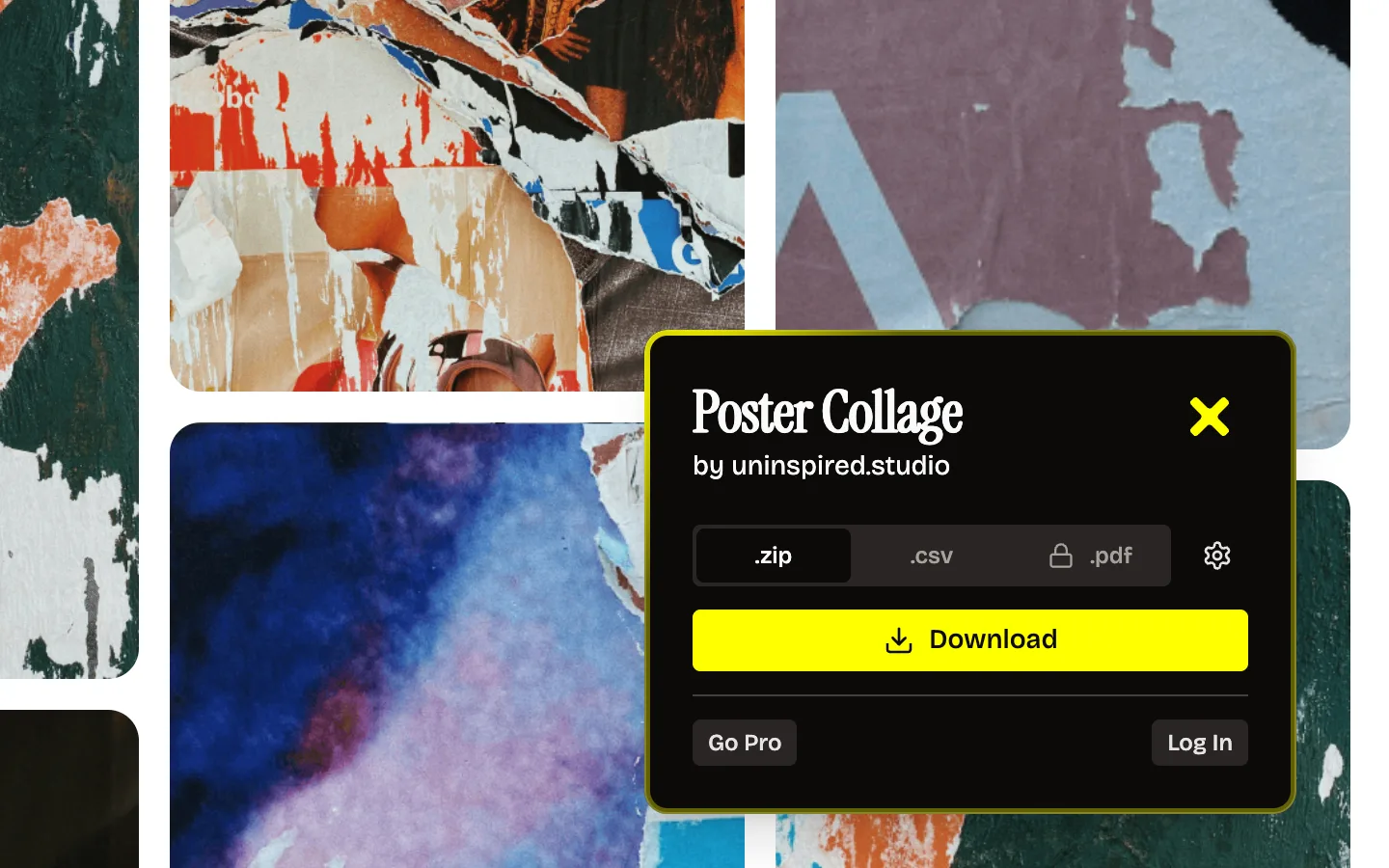
Since V2, Unpinned lives on the Pinterest page. Open a board and it sits in the bottom-right corner, where it stays as you scroll. Click it and a panel opens in that corner with the board name, the format, the settings and a Download button. It replaced the toolbar popup. If you cannot see it, reload the board tab first. That fixes most cases.
Where the corner icon sits
Bottom-right corner of the board page, on top of the pins. It does not move when you scroll, so it is there whether you are at the first row or the thousandth.
Click it and the panel opens in the same corner. The yellow X at the top right closes it again.
What each part of the panel does
From top to bottom:
| Part | What it does |
|---|---|
| Board name and owner | Shows which board you are about to download, for example "Poster Collage by uninspired.studio" |
.zip tab |
Every image and video as files, sections as folders |
.csv tab |
A list of the board's pins: title, link and section for each |
.pdf tab |
The whole board as one PDF. Pro only, so it shows a lock on the free plan |
| Gear | Settings for the format you picked |
| Download | Starts the download |
| Go Pro | Upgrades you to Pro |
| Log In | Signs you in with a login link sent to your email |
The gear
What the gear shows depends on the format tab. On .zip it has two switches, Images and Videos. Switch Videos off when you only want the pictures.
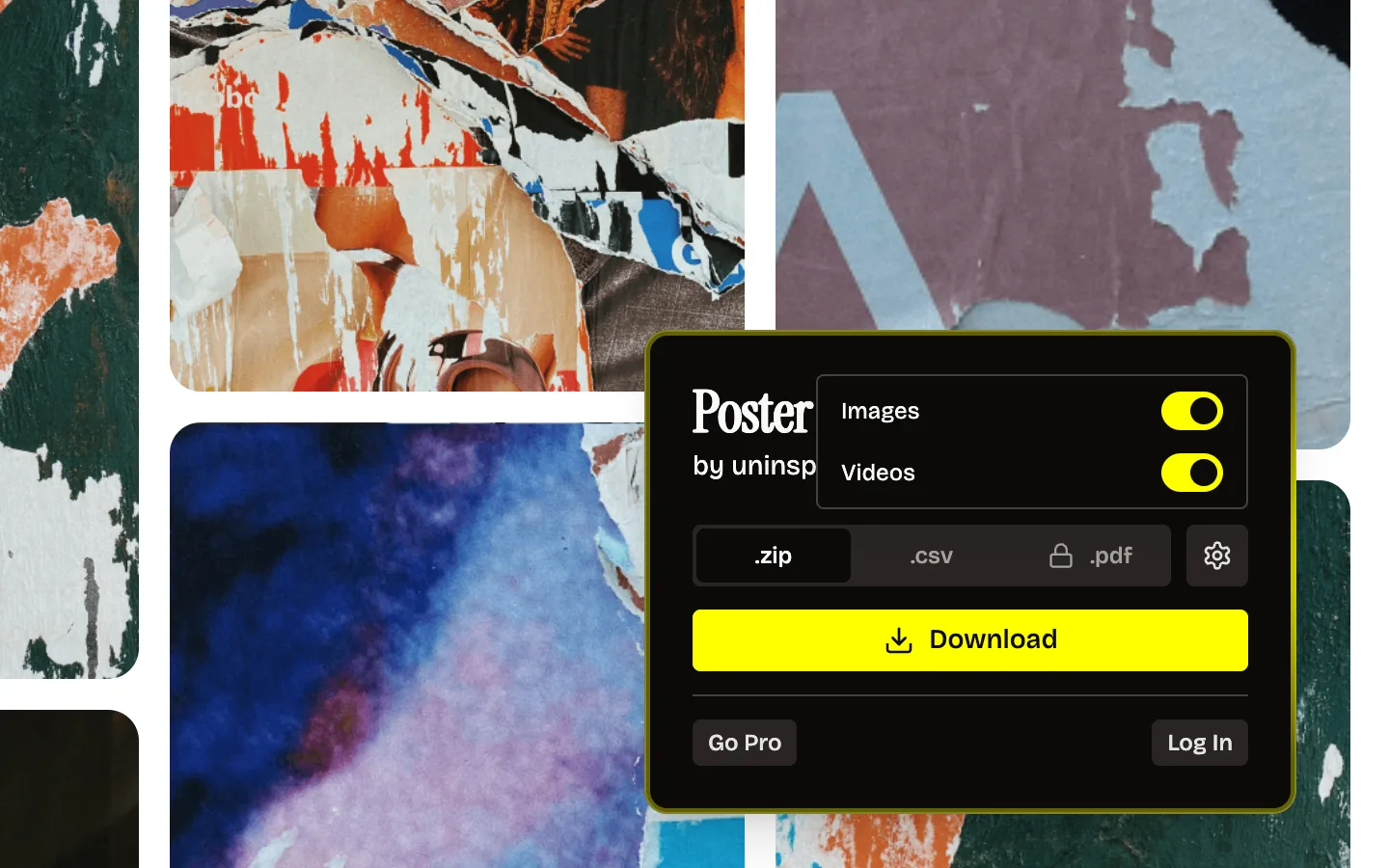
On .pdf the gear holds the paper size, A4 or Letter, and how many pins go on a page: 1, 2, 4, 6 or 9. Pinterest board to PDF explains which to pick.
Download, and what happens next
Click Download and the panel switches to "Downloading..." with a Cancel button. Keep the tab open while it runs. When it is done, the panel says "Download Successful" and gives you a yellow Save button for the file. Big boards take longer and can arrive as several ZIP files. Download Pinterest boards with up to 100,000 pins covers that.
Go Pro and Log In
Log In sends a login link to your email. Unpinned stores only the email address. Go Pro is the way to Pro, which removes the daily cap and adds .pdf. Once you are signed in on Pro, that row shows Manage subscription instead.
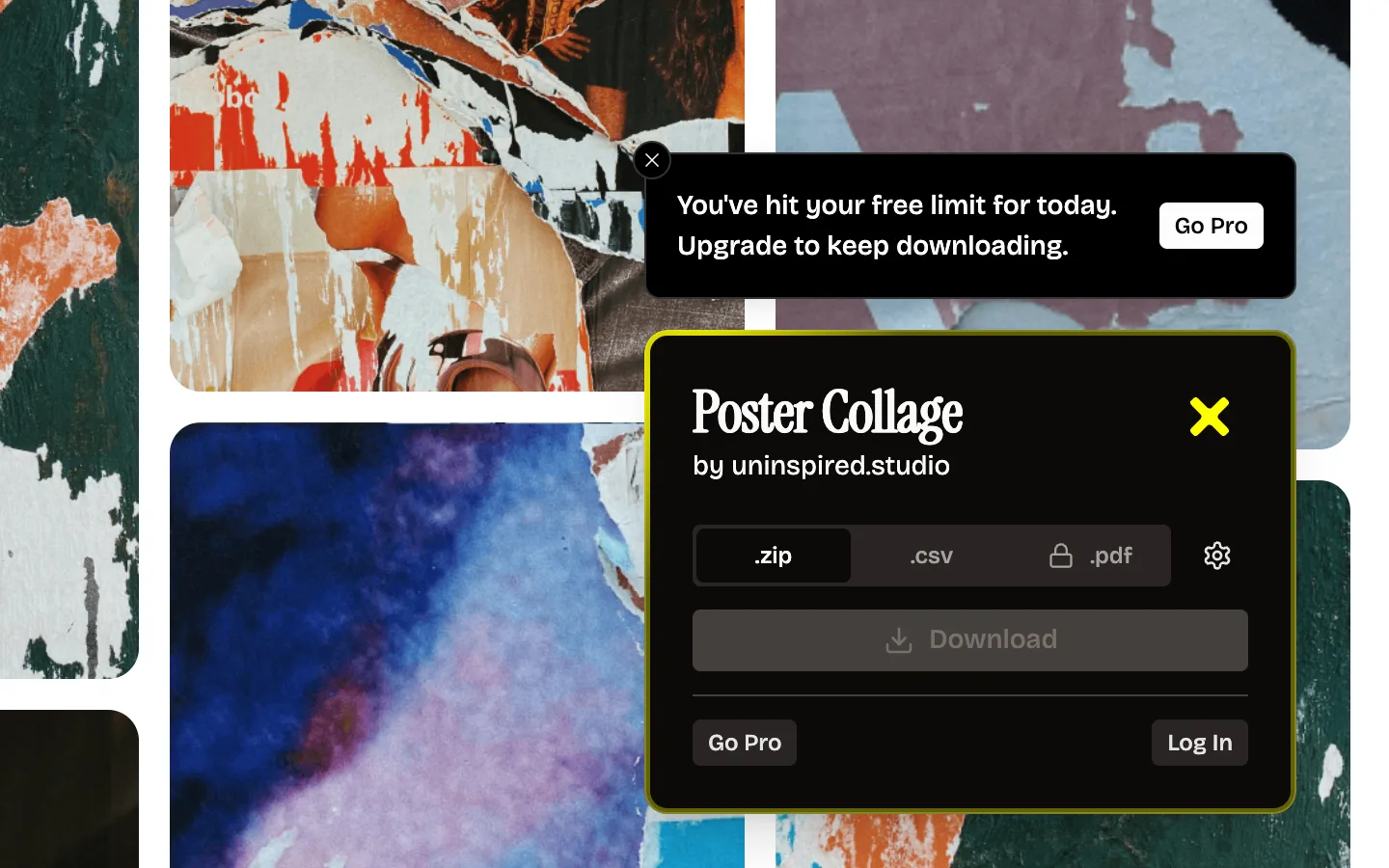
On the free plan, after 50 pins in a day, a banner appears above the panel: "You've hit your free limit for today. Upgrade to keep downloading." The Download button is greyed out, and Go Pro sits next to the message.
Why it moved out of the toolbar
Before V2, the controls lived in the browser's toolbar popup, behind the puzzle piece. That worked, but it put the controls one step away from the board. You had to find the icon, often pin it first, and a toolbar popup closes as soon as you click anywhere else on the page.
On the page, the controls sit next to the thing you are downloading. The panel names the board, so you know you are on the right one. You can scroll the board with Unpinned still in the corner. And the download shows its progress right where you started it. No more switching to a popup.
It came with the rest of V2. What is new in Unpinned V2 has the other changes.
If the corner icon does not show
Work down this list. Most people are done after the first step.
- Reload the board tab. A Pinterest tab that was open before you installed or updated Unpinned does not pick it up until you reload it.
- Open the board itself. Unpinned is there to download a board, so look for it on the board's own page.
- Check that Unpinned is switched on. Open
chrome://extensionsin Chrome,edge://extensionsin Edge orabout:addonsin Firefox, find Unpinned, and make sure its switch is on. - Check its site access. In Chrome and Edge, open Unpinned's Details and see whether Site access lets it run on Pinterest. In Firefox, look at the Permissions tab for Unpinned. What a Pinterest downloader extension can read explains what it asks for and why.
- Restart the browser. Close every window, open it again, open the board.
Still nothing? Write to hello@uninspired.studio with your browser and what you see, and one of us will answer.
FAQ
Where is the Unpinned button on Pinterest?
In the bottom-right corner of a board page. It stays there as you scroll.
Do I still need to pin Unpinned to the toolbar?
No. The controls are on the Pinterest page now, so you do not need the toolbar to download.
Why does the .pdf tab show a lock?
PDF export is part of Pro. On the free plan you can use .zip and .csv.
How do I close the panel?
Click the yellow X in its top-right corner.
The icon is gone after an update. What happened?
Reload the board tab. A tab that was open during the update needs a reload to pick up the new version.
Which browsers show the corner icon?
Chrome, Firefox and Edge, on desktop, one store listing each. The Pinterest board downloader page has the install links.